Common Technical Guide
Architecture overview
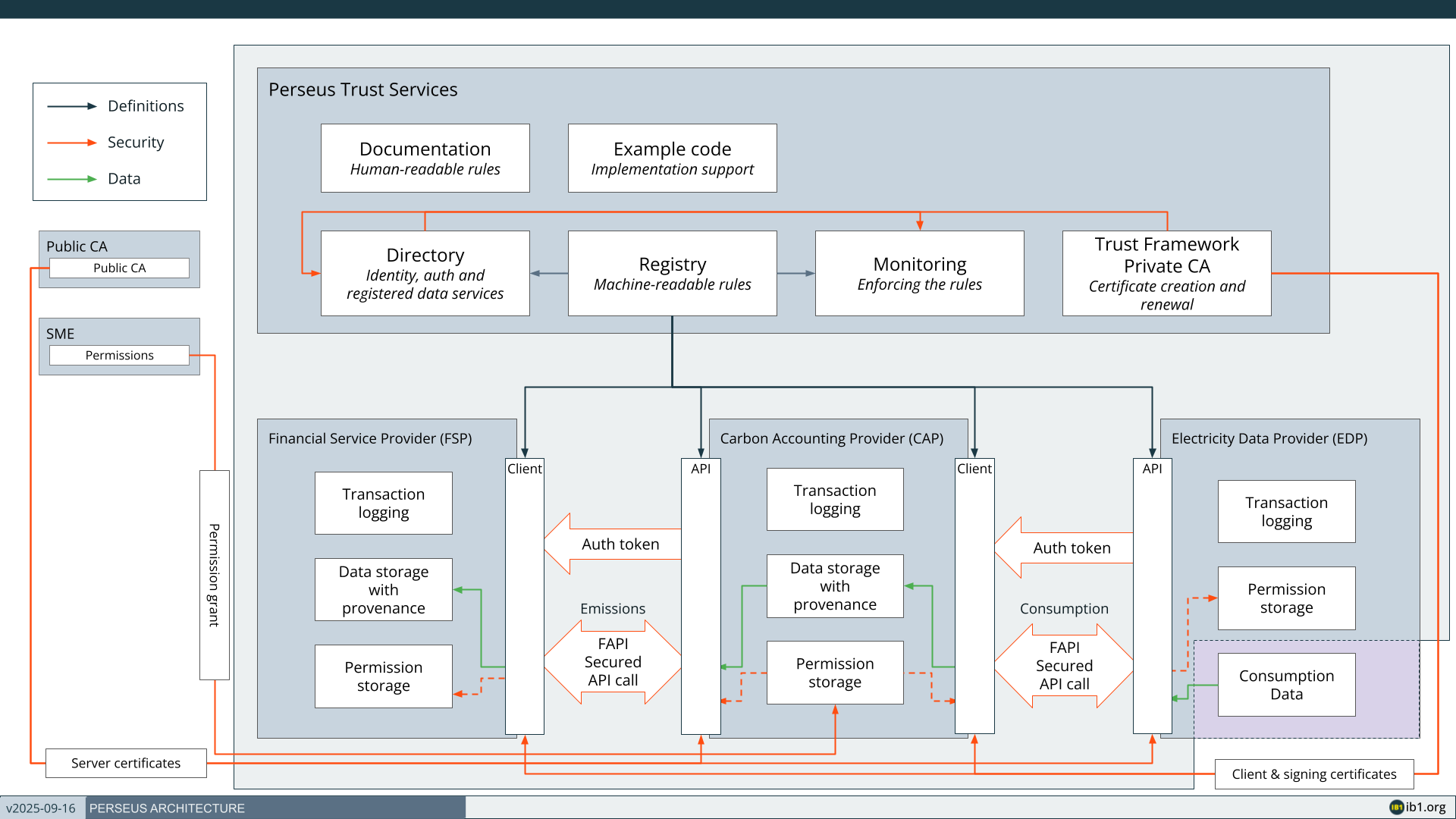
Demo web applications
Icebreaker One has published demonstration energy data provider (EDP) and carbon accounting provider (CAP) implementations in Python. Our intention is for the code and README there to be self-describing. Please use the GitHub Issues feature on the repository if you have any questions or encounter problems.
https://github.com/icebreakerone/perseus-demo-energy https://github.com/icebreakerone/perseus-demo-cap
Generate certificates
When your organization completes the Core Trust Framework agreement (see Legal) IB1 will review the information provided and create an organization record in the Sandbox and Production member portals within two working days, then invite your administrative contacts to create user accounts on them.
IB1 or your own organisation administrator will send an invitation to create an account on the Sandbox member portal at https://member.core.sandbox.trust.ib1.org
You will need to set a password and provide a 2nd method of authentication via text message or authenticator application.
Once configured, log into the member portal and navigate to the Perseus scheme.
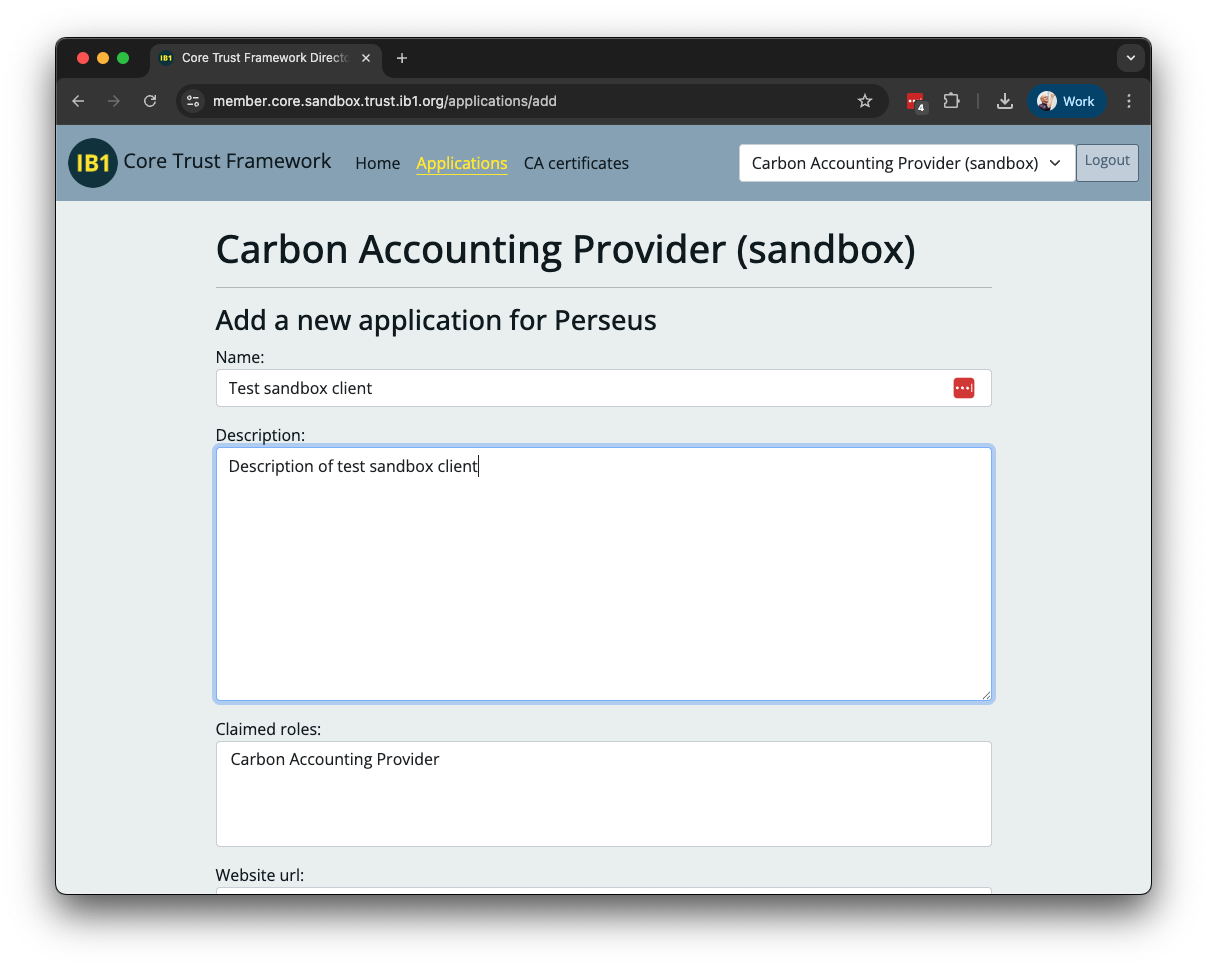
If you have not already done so, create a new Application within the Perseus scheme.
You may choose the application name, but ensure it is clear and recognisable to external audiences, as it will appear publicly in the Directory and on issued certificates.
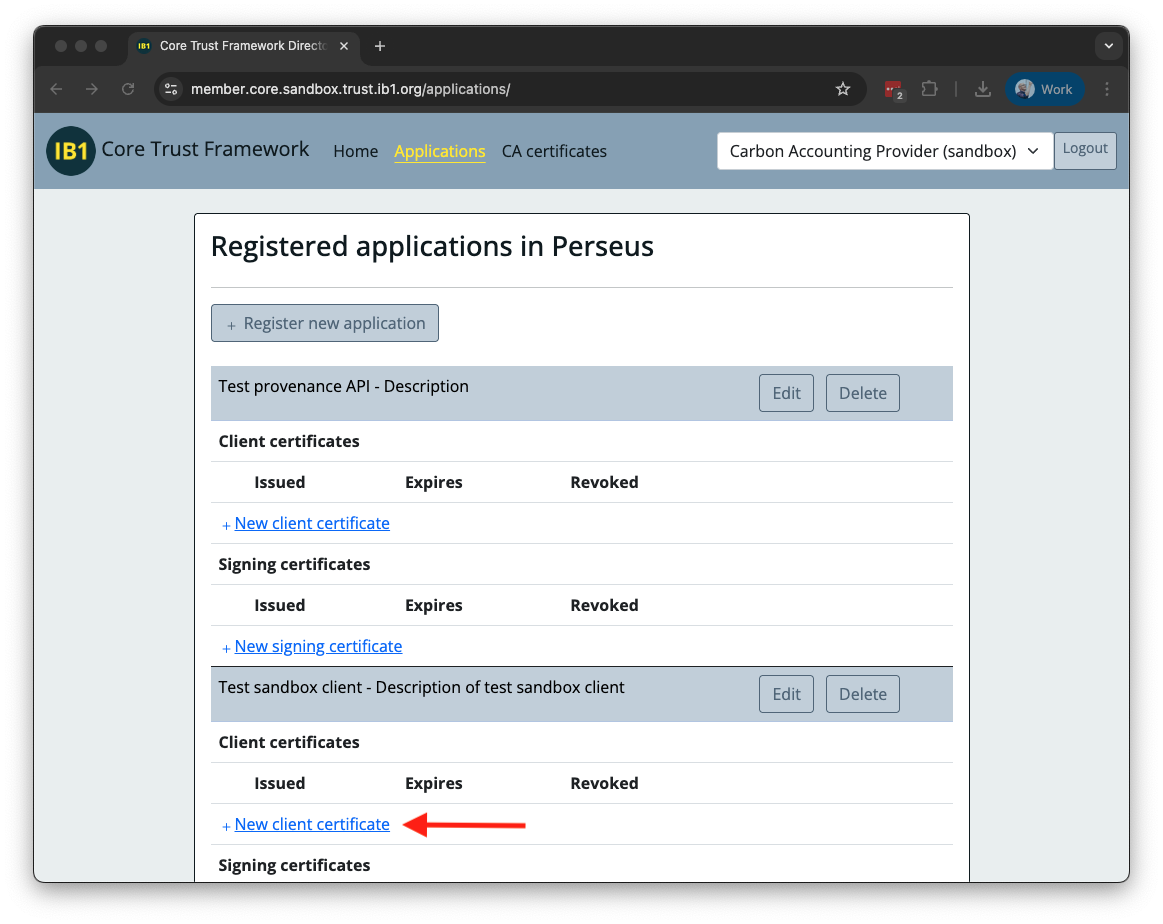
Create a Client certificate and a Signing certificate. For each, follow the instructions in the Directory to create a CSR with openssl and upload it for signing to the Directory.
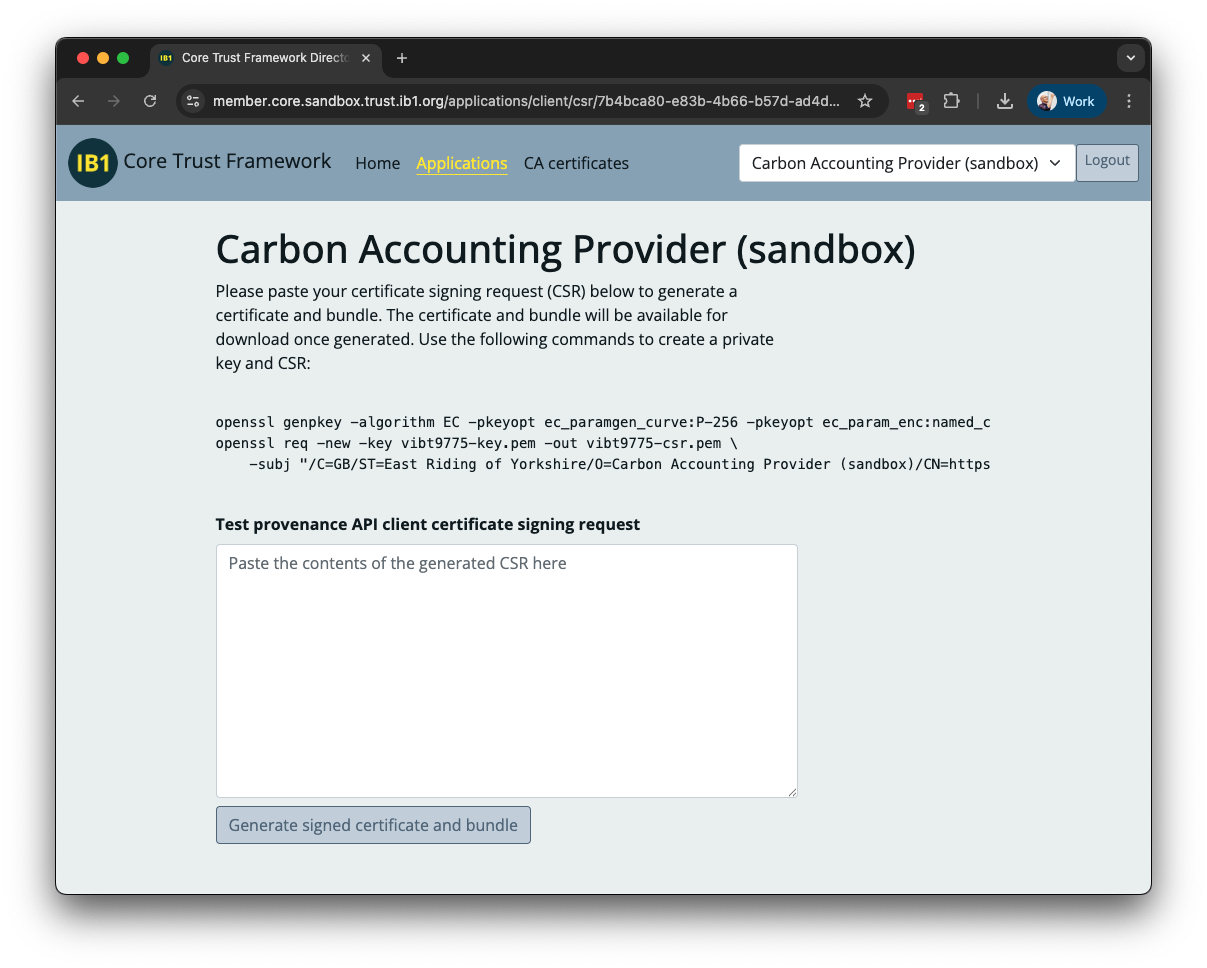
Use a separate private key for each certificate, and store them securely.
Detailed documentation of Perseus certificates may be found in theMember Identity Digital Certificates specification.
Checking certificates
The Core Trust Framework Directory provides a tool to check the validity and view the content of client and signing certificates. To confirm participant information you must use the Directory for the environment the certificate is issued from (Sandbox or Production). The viewer may be found at:
- Sandbox: https://directory.core.sandbox.trust.ib1.org/tools/certificate-viewer/
- Production: https://directory.core.trust.ib1.org/tools/certificate-viewer/
Identifiers
The Trust Framework uses Registry URLs as identifiers to discover APIs and other Members in the Directory. These URLs will vary between environments, both the hostname in the URL and any version number in the URL path.
Sandbox
- Registry hostname:
https://registry.core.sandbox.trust.ib1.org - Directory hostname:
https://directory.core.sandbox.trust.ib1.org
Production
- Registry hostname:
https://registry.core.trust.ib1.org - Directory hostname:
https://directory.core.trust.ib1.org
You should write your application with a configuration that allows the entire URL to be varied between environments.